
MyNeedNav public intake portal
Open for applications, even when the office isn't
MyNeedNav is Need Navigator's online application portal for social services. Community members apply for help from any device, no account needed, in English or Spanish. Their submission lands in your review queue, where staff, not software, decide what happens next.
What the portal does
No account, no barrier
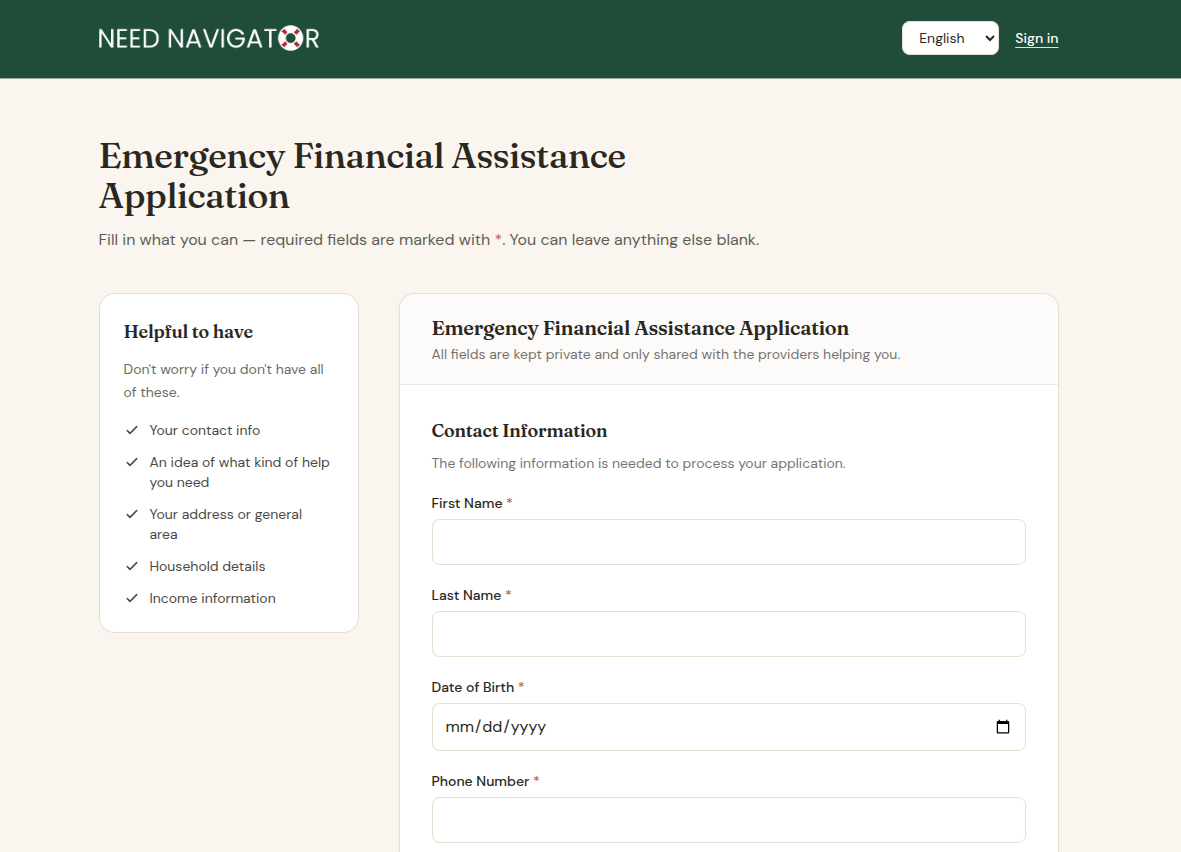
A community member opens a published form, fills it out, and submits it: no login, no password, no account to create. It works from any device, at any hour, in the language they choose.
You choose what's public
Nothing goes online by accident. Forms appear on the portal only when you add them to an explicit allow-list. Everything else stays internal, and the portal itself stays disabled until your agency configures it.
The whole form, faithfully rendered
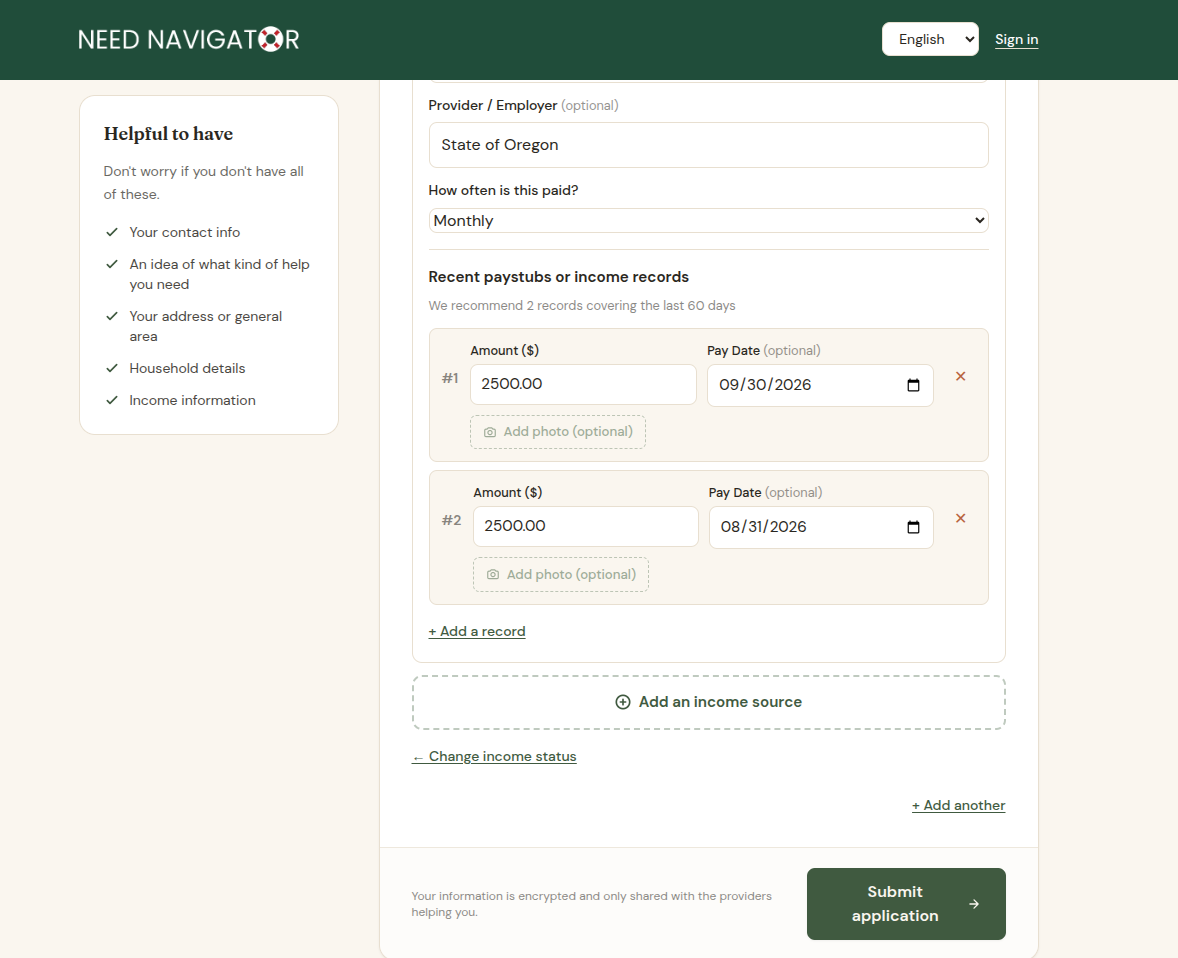
Portal forms are the same forms your staff build. Sections, conditional logic, repeatable sections, required fields, helper text, and helper images all render for the applicant just as they were designed.
English and Spanish
Applicants complete forms in English or Spanish. Translations start as an AI draft that bilingual staff review and polish, and stored answers stay in English behind the scenes, so conditional logic and reporting work identically in both languages.
Guided income capture
A step-by-step wizard asks about income one source at a time, and choosing "no income" records an explicit declaration rather than a blank. A single family application can capture income for several household members, and every dollar arrives marked unverified for staff review.
A request, not a record
Submissions land in the standard review queue, where a matching engine classifies each one as an exact match, probable match, or new individual. Staff confirm, choose among ranked candidates, or create the person; nothing links to a client record without a human deciding it should.
Locked down by design
The portal is a separate application that reaches Need Navigator only through a server access token, only for allow-listed forms, and every submission is attributed to a designated system user. Off by default; on when you say so.
New, and built to grow
The portal shipped in June 2026 and is already live with its first agencies. We built it deliberately as a foundation. Expect it to keep expanding.
Questions agencies ask
Do applicants need to create an account?
No. A community member opens a published form, fills it out, and submits it. There is no login, no password, and no account to abandon halfway through. Self-service without sign-up is the whole point of the portal.
What languages does the portal support?
English and Spanish today, with more languages planned. A Spanish version starts as an AI-drafted translation that bilingual staff review and polish in a side-by-side editor, and the portal renders the form in the language the visitor chooses. Stored answers stay in English behind the scenes, so conditional logic and reporting work the same in either language.
What do staff see when a submission arrives?
A standard form submission in the same review queue as everything else. A matching engine classifies it as an exact match, probable match, or new individual, and staff confirm the match, pick among ranked candidates, or create the person in one click. Any income the applicant reported arrives marked unverified and stays that way until a staff member verifies it.
How does the portal stay locked down?
Several layers deep. The portal is a separate application that reaches Need Navigator only through a server access token, only forms on an explicit allow-list are ever exposed, and every submission is attributed to a designated system user, so portal activity is always distinguishable from staff activity. The portal is disabled until your agency configures it; nothing is public by default.
Can one application cover a whole family?
Yes. Repeatable sections let an applicant add each household member, including income for several members, in a single submission. On the staff side, a guided stepper matches or creates each person, designates the primary member, and builds the household in one pass, with a human reviewing every step.
Put your application online
Bring one of your paper intake forms to the demo. We will show you what it looks like on a phone, and what your staff see the morning after someone applies.